ATS Resume Format Guide 2026: What Works and What Breaks
76% of resumes are rejected by ATS before a human sees them. Learn the exact formatting rules for Workday, Greenhouse, Lever, and other major ATS platforms.

Your resume is perfect. Clean design. Strong achievements. Quantified results.
And it never makes it past the ATS.
76% of resumes are rejected by Applicant Tracking Systems before a recruiter ever reads them. Not because the content is bad. Because the formatting breaks the parser.
ATS software doesn't care how good your experience is if it can't extract your name, job titles, or work history from the file. And the rules for what works and what breaks are not intuitive.
This guide covers exactly what ATS-friendly formatting looks like, which common design choices kill your chances, and how to format a resume that passes ATS parsing across Workday, Greenhouse, Lever, and other major platforms.
What ATS Actually Does to Your Resume
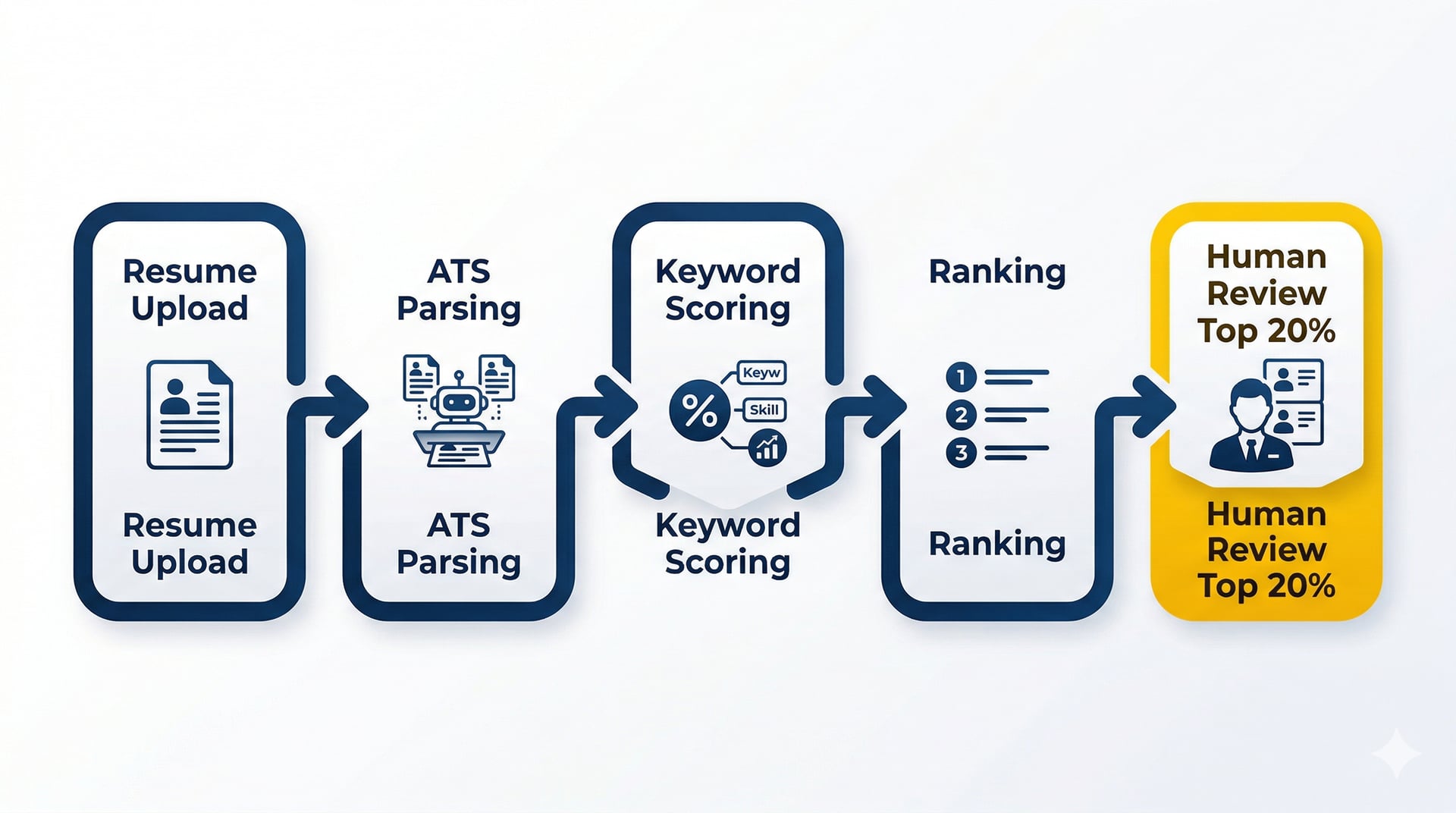
When you upload a resume to an online application portal, the ATS:
- Parses the file to extract structured data (name, email, job titles, dates, education, skills).
- Scores your resume based on keyword matches with the job description.
- Ranks you against other candidates.
- Filters out low scorers before a human ever sees the file.
If step 1 fails, the rest doesn't matter. Your resume might as well be blank.
The problem: ATS parsers are fragile. They expect clean, predictable structure. If your resume uses tables, text boxes, multi-column layouts, or creative section headings, the parser fails. Your work experience gets dumped into the "Education" field. Your contact info disappears. Your skills section becomes unreadable.
And you never know it happened because you never get a response.
The 7 Rules for ATS-Safe Resume Formatting
Rule 1: Single-Column Layout Only
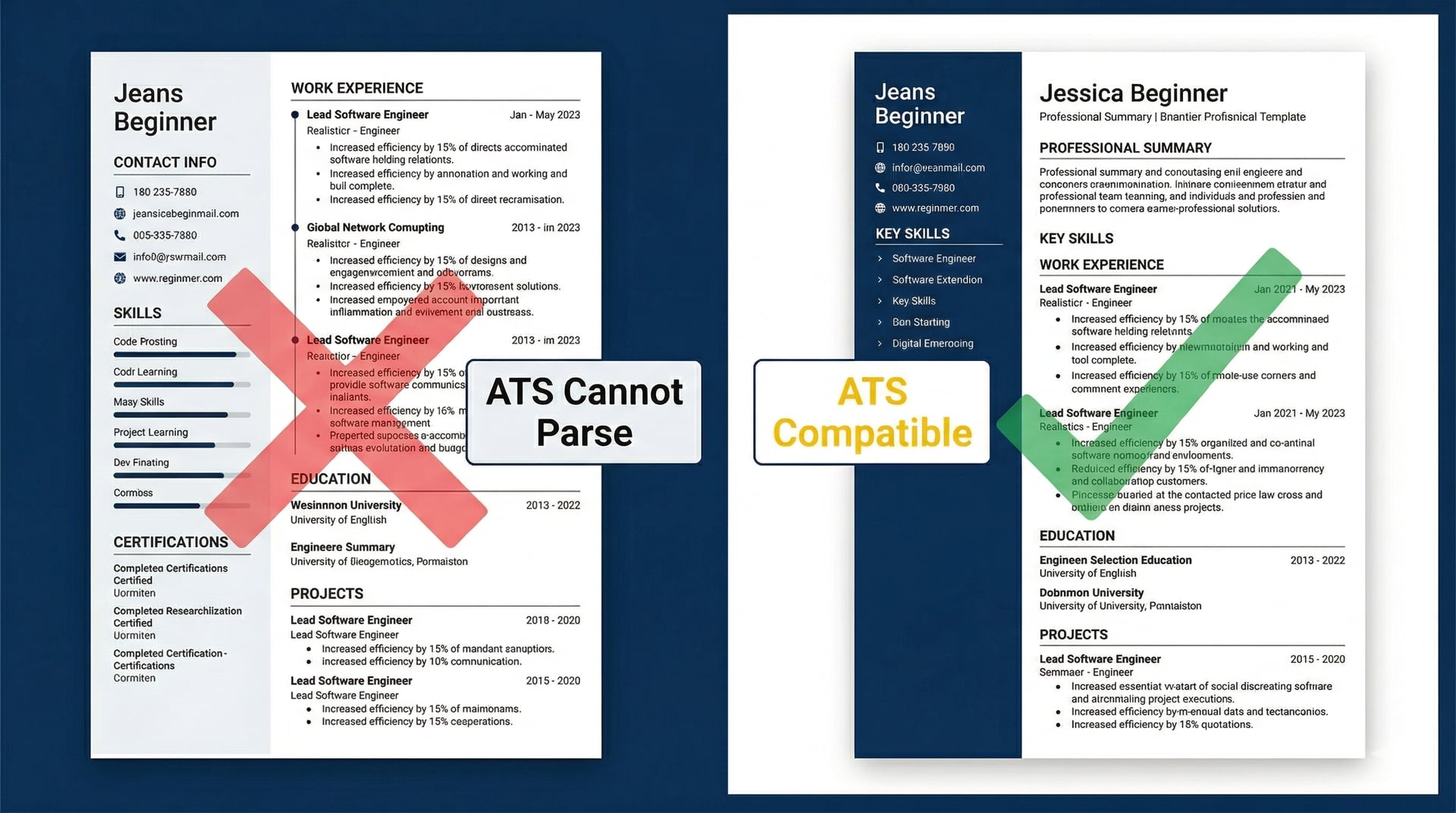
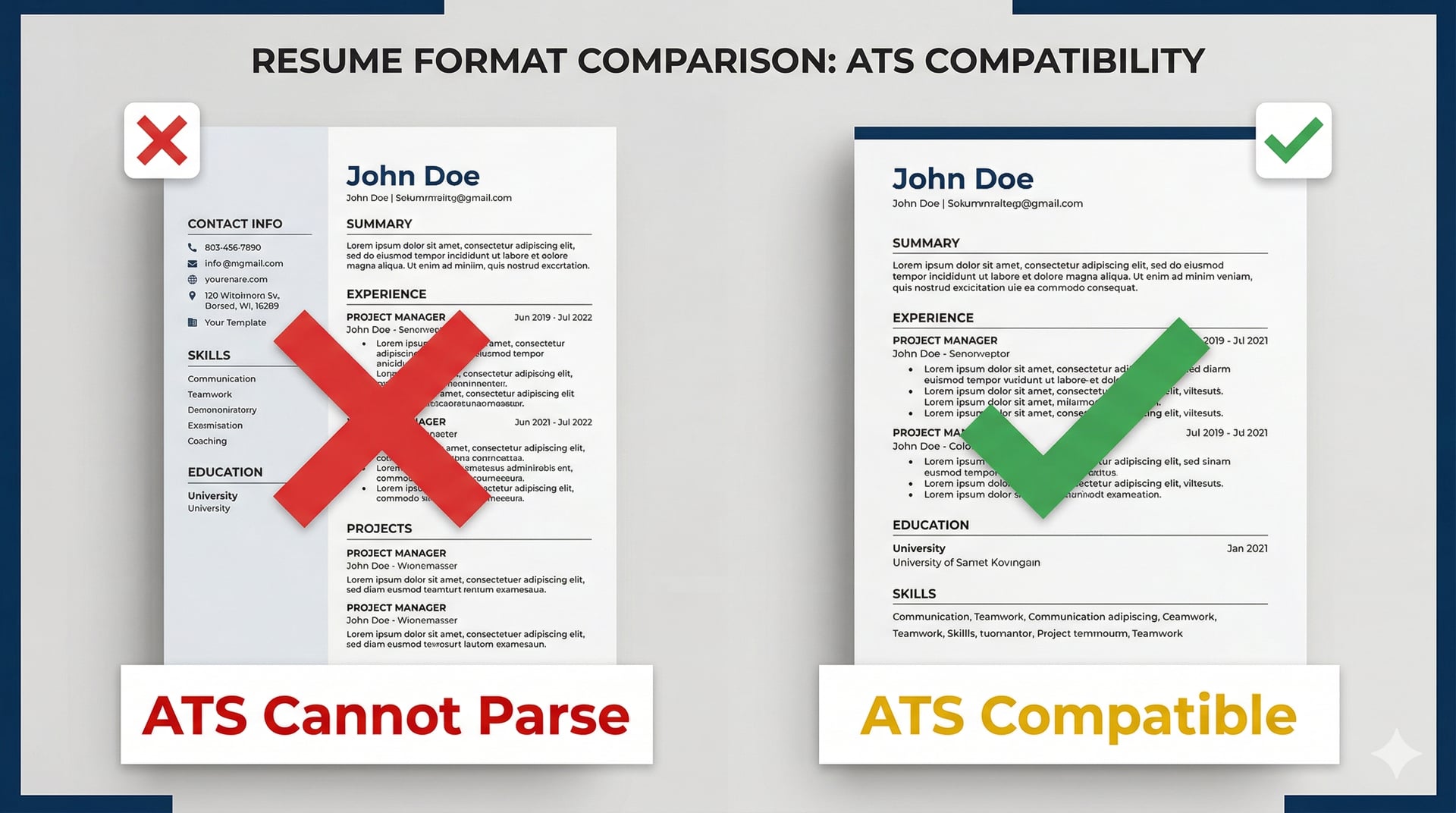
Multi-column resumes look modern. ATS parsers hate them.
Why: Most ATS software reads left-to-right, top-to-bottom, one column at a time. If your resume has two columns, the parser tries to read across both columns simultaneously and scrambles the content.
Result: Your "Skills" section from the right column might get inserted in the middle of your "Work Experience" from the left column. The output is nonsense.
Fix: Single-column layout. Stack sections vertically. It's less visually exciting, but it parses correctly every time.
Rule 2: No Tables, No Text Boxes
Tables and text boxes are invisible to most ATS parsers. The content inside them either disappears entirely or gets extracted in the wrong order.
Why: ATS parsers expect plain text. Tables and text boxes are treated as images or formatting artifacts, not content.
Result: If you put your job title in a table cell, the ATS might not record that you have any work experience.
Fix: Use plain text with standard bullet points. No tables. No text boxes. No creative containers.
Rule 3: Standard Section Headings
Creative section names break ATS parsing.
What works:
- Work Experience
- Professional Experience
- Education
- Skills
- Certifications
What breaks:
- "My Journey" (parser doesn't recognize this as Work Experience)
- "Toolkit" (parser doesn't recognize this as Skills)
- "Where I Learned" (parser doesn't recognize this as Education)
Why: ATS software is trained to recognize standard headings. Anything else, and the parser guesses. Often incorrectly.
Fix: Stick to the standard headings. Save the creativity for your portfolio.
Rule 4: Standard Fonts (Arial, Calibri, Georgia)
Fancy fonts cause parsing errors.
What works: Arial, Calibri, Georgia, Times New Roman, Verdana.
What breaks: Decorative fonts, script fonts, fonts with unusual kerning or ligatures.
Why: ATS uses Optical Character Recognition (OCR) for some documents. Non-standard fonts reduce OCR accuracy.
Fix: Use a system font. Boring, but reliable.
Rule 5: Consistent Date Formats
ATS parsers expect dates in predictable formats.
What works:
- Jan 2022 – Mar 2024
- 01/2022 – 03/2024
- 2022 – 2024
What breaks:
- "Early 2022" (not parseable)
- "Q1 2022" (ambiguous)
- "2022ish" (you're joking, right?)
Why: The ATS needs to calculate your tenure at each role. Ambiguous dates break that calculation.
Fix: Use a standard format consistently across all roles.
Rule 6: No Headers or Footers
ATS parsers often ignore headers and footers entirely.
Why: ATS software assumes the document body contains the content. Headers and footers are treated as metadata.
Result: If your name and contact info are in the header, the ATS might not extract them.
Fix: Put your name, email, phone, and LinkedIn profile in the main body of the document, at the top, in plain text.
Rule 7: Save as .docx or PDF (With Parsing-Friendly Settings)
Not all file formats are equal.
What works:
- .docx (safest, best parsing compatibility)
- PDF (works, but only if the text is selectable, not an image)
What breaks:
- .jpg, .png (image files, not parseable as text)
- .pages (Mac-specific format, breaks on Windows-based ATS)
- PDF with embedded images or scanned text (OCR required, error-prone)
Fix: Save as .docx for maximum compatibility. If you must use PDF, make sure the text is selectable (not a scanned image).
Which ATS Platforms Use These Rules?
The major ATS platforms used by most companies follow these rules:
- Workday (used by 40% of Fortune 500 companies)
- Greenhouse (popular in tech startups)
- Lever (common in mid-size companies)
- SAP SuccessFactors (enterprise)
- iCIMS (common in healthcare and retail)
- Taleo (older platform, still widely used)
All of them expect single-column, plain-text structure with standard headings and system fonts. If your resume works for one, it works for all of them.
What About Keywords?
Formatting gets you past the parser. Keywords get you past the scoring algorithm.
Even if your resume is perfectly formatted, if it doesn't contain the required keywords from the job description, the ATS scores you low and filters you out.
How keyword scoring works:
The ATS extracts required skills from the job description (e.g., "Python," "project management," "SQL") and checks how many of them appear in your resume. If the job description mentions "Python" 5 times and your resume says "scripting languages" instead, you lose points.
The fix: Use the exact keywords from the job description where you genuinely have that experience. If the JD says "Salesforce CRM," don't write "customer relationship management tools." Use "Salesforce CRM."
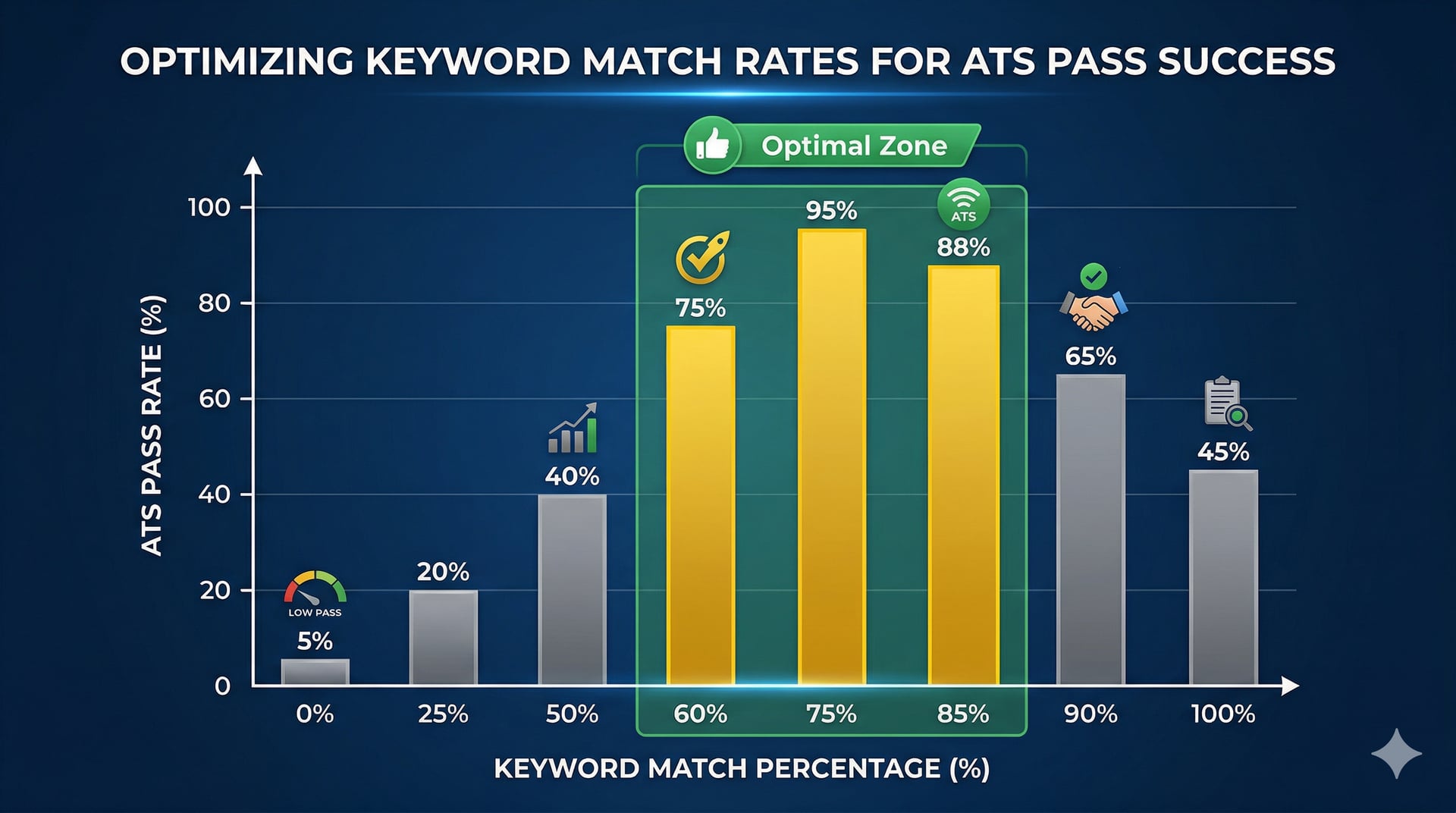
Target match rate: Industry research suggests 60 to 85% keyword overlap between the job description and your resume for competitive ATS performance. Lower than 60%, and you're unlikely to pass. Higher than 85%, and it starts to look like keyword stuffing.
The Problem: Doing This Manually is Brutal
Here's the reality:
Every job description is different. Every one requires a different set of keywords and a different emphasis in your bullet points. To pass ATS consistently, you need to tailor your resume for every application.
Manual process:
- Read the job description.
- Extract the top 10 keywords.
- Rewrite your bullets to incorporate those keywords where you have relevant experience.
- Reformat your resume to ensure ATS compatibility.
- Proofread and export as .docx.
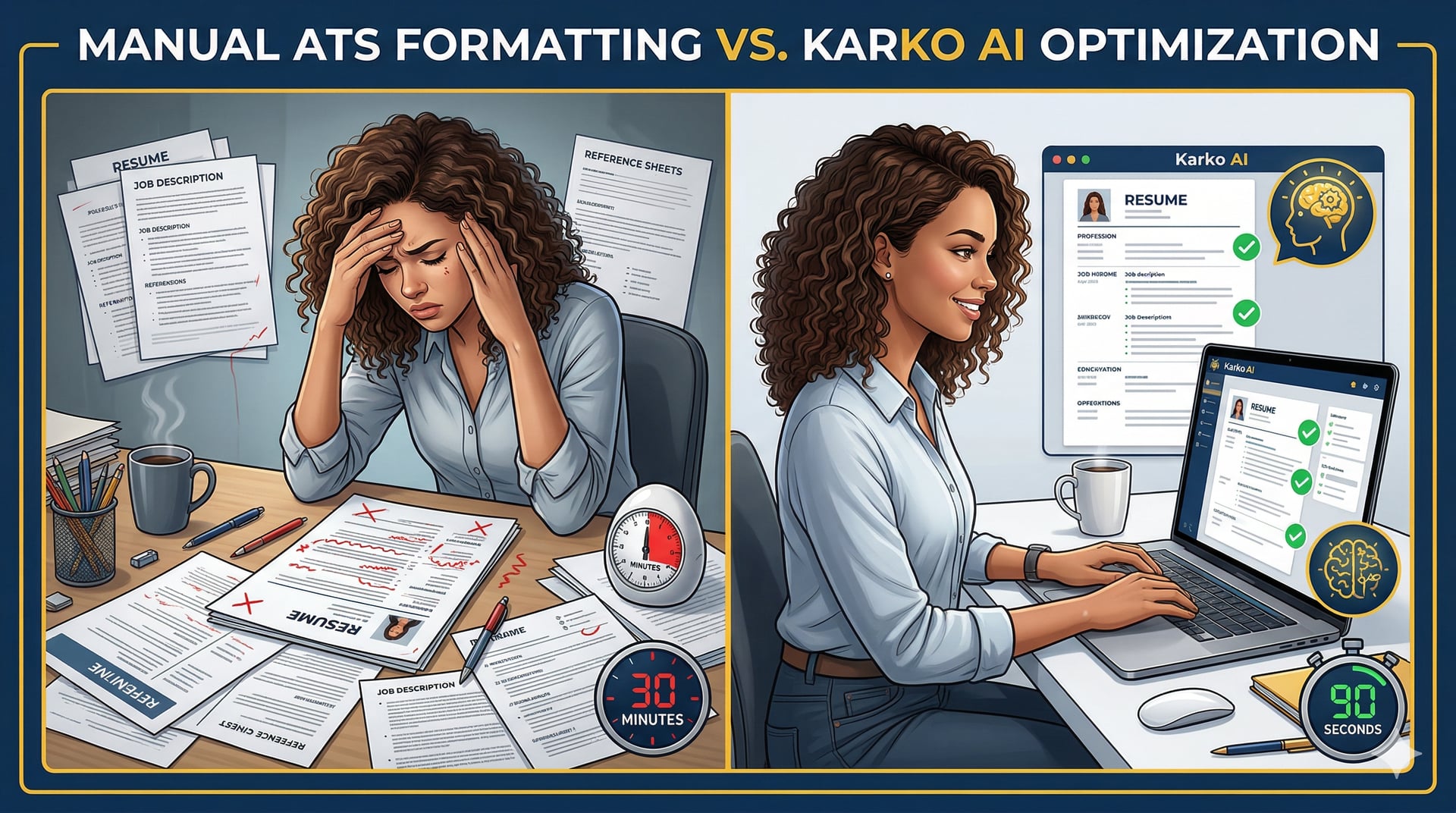
Time required: 20 to 30 minutes per job.
For 100 applications: 50 hours.
Most people don't have 50 hours. So they send the same generic resume to every job, and their callback rate stays below 3%.
How AI Solves the ATS Formatting Problem
Karko AI generates ATS-optimized resumes by default. Every output follows all 7 rules above, across all 6 CV templates.
Here's what that means:
- Single-column layout (no multi-column designs).
- Plain text structure (no tables, no text boxes).
- Standard section headings (Work Experience, Education, Skills).
- System fonts (Arial for body text, Georgia for headings).
- Consistent date formats (Jan 2022 – Mar 2024).
- No headers or footers (all content in the main body).
- Exported as clean PDF (selectable text, compatible with all major ATS platforms).
You don't have to check any of this manually. It's built into the templates.
Keyword matching is also automated. Karko extracts the top required skills from the job description, maps them to your verified experience, and rewrites your bullets to include those keywords naturally. No keyword stuffing. No fabrication.
The 76% Filter
76% of resumes are rejected by ATS. Most of them aren't bad resumes. They're good resumes with broken formatting.
You can have 10 years of perfect experience, but if the ATS can't parse your name, job titles, or work history, you're out before a human ever sees the file.
ATS-safe formatting isn't optional anymore. It's table stakes.
The question is whether you want to spend 30 minutes per application manually checking every formatting rule, or let AI handle it in 90 seconds while you focus on preparing for interviews.
Try It Yourself
Karko AI is free for your first 2 applications. Every output is ATS-optimized by default. No formatting checklist to worry about. No manual reformatting.
Paste a job description and see what comes back.
Generate an ATS-Optimized Resume in 90 Seconds — 2 Applications Free, No Credit Card
Wasim Jalali is the founder of Karko AI. He built it because he was broke, job hunting, and tired of getting auto-rejected by ATS systems he didn't even know existed. Now he's making sure nobody else has to.
Generate ATS-Optimized Resume in 90 Seconds
All our templates pass ATS parsers by default. Free for 2 applications.
Generate ATS-Safe Resume FreeRelated articles.
How to Tailor Your Resume to a Job Description
Tailored resumes get 1.6x more interviews than generic ones. Learn the exact process for matching your CV to any job description in minutes, not hours.
What Is a Master CV and Why You Need One
A master CV is the source document behind every strong application. Learn what to include, how to structure it, and how it makes tailoring faster and better for AI.
German CV vs American Resume: What's Actually Different?
Applying with the same document in Germany and the US is a mistake. Here are the real differences in format, personal details, tone, and ATS expectations in each market.